
Quick Navigation
- Key Features
- Getting Started
- What is Curious Souls Cafe?
- Question Decks
- App Features & Tools
- Access & Tiers
- Tips for Using the App
Launch App
✨ Key Features
The Curious Souls Cafe web app is a digital tool and a companion for our global community, now available for all to spark meaningful conversations, foster genuine connection, and support personal growth.
Conversation Decks
Access collections of curated questions designed to guide soul-searching discussions on diverse themes.
Dice Roller
A fun tool to decide who starts, break ties, engage in meaningful challenges, or build custom dice with up to 100 sides.
Action Prompts
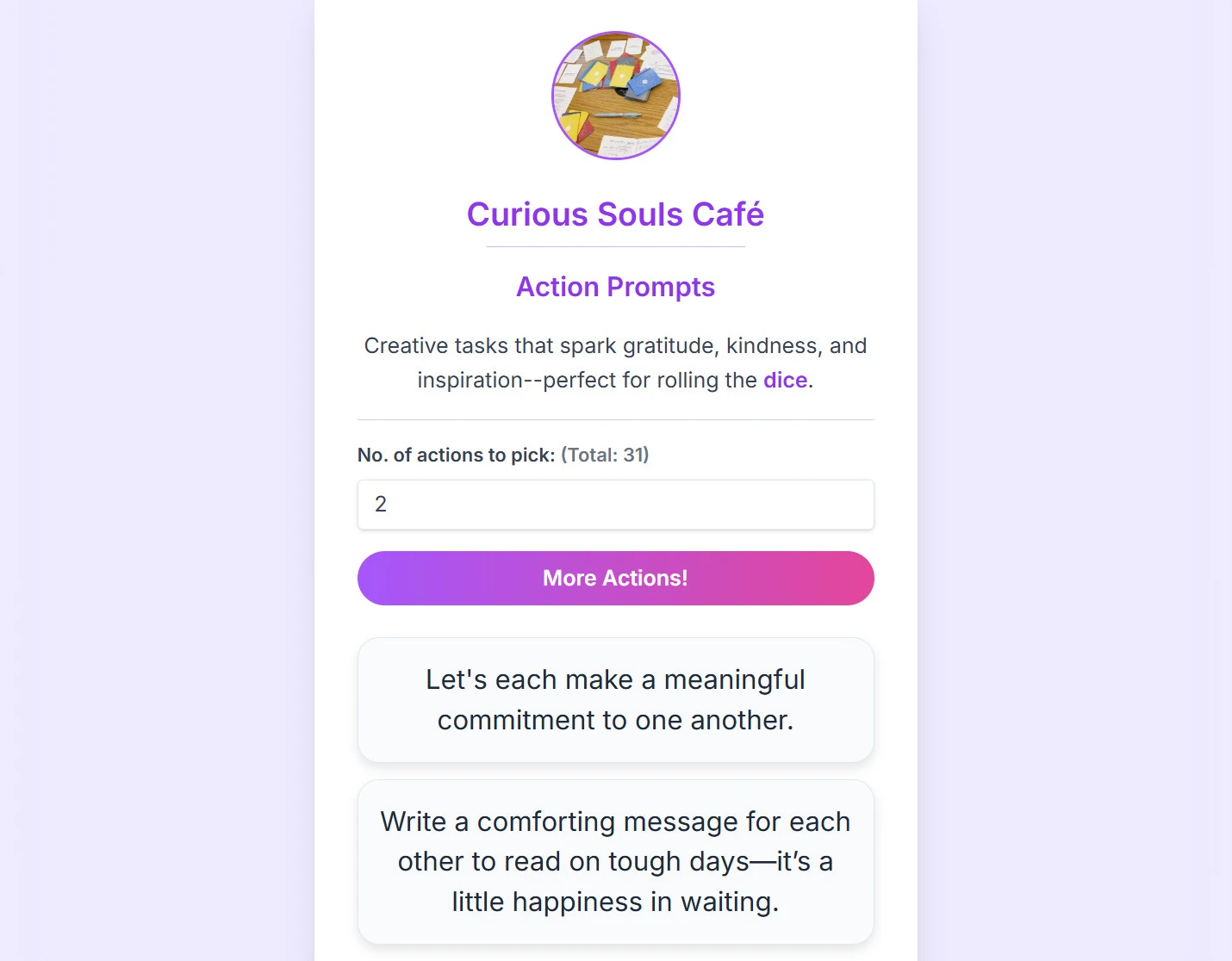
Spark gratitude, kindness, and inspiration with randomly presented creative tasks.
Collect · Reflect
Save questions, organize with custom tags, and write your own entries. Log field notes and journal using tools like Zen Mode and focus timers.
Deck Builder
Turn ideas into an instant conversation game. Paste or generate questions with AI, then share a QR code with friends to play, or print cards.
Live Board
Join via code to crowdsource ideas and feedback, or create Offline Local Boards to play private custom decks and pass the device around the table.
💡 Pro Tip: The Deck Builder is best for prepared topics (when you have a set list), while the Live Board tool is best for crowdsourcing items and ideas live from the group on the fly.
🚀 Getting Started
Step into meaningful conversations with ease! Here's how to use the app:
-
Launch the Web App
Open the app in your browser: app.curioussouls.cafe. -
Invite Others
Share the QR code or link on the main page so everyone can join instantly. -
Start the Conversation
Choose a conversation deck that resonates with your group, tap "Next Question" inside, and take turns answering. -
Add Extras
Use the Virtual Dice to pick who starts or to add playful actions to the mix.
What is Curious Souls Cafe?
Curious Souls Cafe is a "third place" away from home and work, founded to counter the isolation of modern life. Our philosophy is centered on the power of face-to-face conversations to build deeper bonds in a safe, non-judgmental environment. To learn more about the initiative, check out our main website.
Pro Tip:
- Check out the
About page for an
overview of our meetup.
- Explore our
Event Structure Guide for facilitation
tips.
📚 Topics from Our Conversation Decks
Explore over 30 decks designed to guide soul-searching discussions. Each of these has been developed for and real-world tested in our events. Use the search bar to filter by keyword.
- Adulthood: Explore the holistic journey of adulting—personal growth, authenticity, and connection.
- Anchors: Between staying adaptable and staying grounded, discover anchors that keep us centered in the storm.
- Authenticity: Align your actions with your values and embrace your true self.
- Beginner's Mind : Cultivate curiosity, embrace 'not knowing,' and see the world with fresh eyes again.
- Conscious Choice: Check blind spots, untangle passed-down habits, and take the steering wheel of life.
- Fluidity: Celebrate our ever-evolving selves, and discover the beauty of living beyond labels.
- Healthy Friction: Explore why productive conflict, and embracing everyday discomfort can lead to a deeper, more resilient life.
- Inner Child: Reconnect with your playful younger self and nurture creativity.
- Internal Compass: Navigate life by tuning into your intuition, and aligning with your core values.
- Languages We Live: Dive into the curious space where our words, thoughts, and identities meet.
- Life Entrepreneur: Ignite self-leadership and entrepreneurial thinking.
- Reflection: Explore how reflection transforms memories into meaning.
- Reimagine: Explore evolving perspectives and reimagine life’s narratives.
- Resilience: Explore how you adapt and find meaning when life tests your limits.
- Solitude: Distinguish healthy alone time from loneliness.
- Stillness: Unplug, protect inner peace, and find simple moments of joy amidst the relentless pace of modern life.
- Transitions: Navigate life’s changes with prompts that foster reflection.
- Friendship : Deepen connection and explore the many facets of meaningful friendships.
- Harmony: Unplug, protect inner peace, and find simple moments of joy amidst the relentless pace of modern life.
- Interdependence: Explore the invisible threads that sustain our relationships and communities.
- Parenting: Inspire reflection on the joys, challenges, and growth in raising children.
- Sincere Lens: Reframe everyday annoyances, decode unspoken signals, and choose curiosity and compassion over snap judgments.
- Why We Love: A deep dive into the motivations behind our relationships.
- Flow: A journey to sharpening your focus and mastering the art of effortless engagement.
- Focus: How we find, lose, and design focus.
- Synergy: True collaboration and adaptive team dynamics.
- Work that Resonates : Explore your evolving relationship with work and fulfillment.
- Clarity: Cutting through noise with values, self-awareness, and insight.
- Flourishing : Spark deep dialogue on purpose, virtue, and resilience.
- Legacy: Reflect on the impact you make and transform values into legacy.
- Purpose: Explore meaning and the journey toward a fulfilling life.
- True Wealth: Explore what it means to live a truly rich life beyond material wealth.
- Action Prompts: Spark gratitude, kindness, and inspiration with creative tasks—perfect for icebreakers or mid-session vibe shifts to wake up a quiet room.
- All in One: Spark meaningful conversations across all topics. (Includes a "Topic Mixer" to select specific categories!)
- Deep Talk: Curated in Seoul, a reflection on modern life’s complexities.
- Global Curiosities : Questions written by participants from our events around the world. (Toggle "Location Mode" to browse by city!)
- Icebreaker Starter : A playful, low-pressure warm-up deck on relatable preferences, daily habits, and micro-joys.
- Joy · Love · Mind: Curated in Singapore, explore a conversational journey from happiness to love and the mind.
- Meta Deck Host : An advanced facilitation tool designed to steer group dynamics with prompts about the conversation itself.
- Self to Cosmos: Curated in Groningen, playfully ponder the massive, beautiful questions of the human experience.
- Small Wonders Starter : Find magic in daily routines. Explore subtle moments & everyday anchors that bring meaning to life.
No topics found. Try a different keyword.
💖 We express our heartfelt gratitude to our Singapore host for curating the Joy · Love · Mind collection, our Seoul host for their thought-provoking Deep Talk deck, our Groningen host for their expansive Self to Cosmos deck, and all participants who contributed to Global Curiosities.
✨ App Features & Tools
Designed for seamless facilitation, the app includes (but not limited to):
Quick Tools
Use the floating dice icon to randomly select a speaker, or use the advanced builder to create and share custom dice with up to 100 sides!
Engage in meaningful bonding actions. Rolling a "Challenge" on the dice now instantly summons a random action prompt right on your screen—zero clicks required!
Build a daily habit of reflection. Keep your spark streak alive, track your all-time best, and easily save daily prompts directly to your Collection.
Question Decks
Read decks front-to-back in an unbreakable, looping carousel. The app automatically saves your exact reading position across sessions and filter changes.
Select the number of items to display from any deck.
Filter questions by difficulty levels (🌱 Lite, 🌀 Deep), or toggle the Pink "Core" pill to isolate the most essential questions.
Toggle between punchy summaries and full-context backgrounds on the fly to suit your group's attention span.
Host a multilingual group effortlessly. Instantly translate prompts into Dutch, Korean, or Cantonese right on the page.
Tap the bookmark icon in the top right corner of any deck or tool (like the Dice Roller) to pin it to your Home page for quick access.
Live Board
Launch a live, multiplayer board hosted entirely in your own Google account (Bring Your Own Backend). We never see, store, or own your session data.
Project a beautiful, distraction-free display to your audience while managing the board from your private device. Customize backgrounds, hide QR codes during broadcasts, and end sessions gracefully.
No internet? Create a local board saved only on your device. When you're ready to go multiplayer, use the '1-Click Cloud Upgrade' to instantly transfer your local board into a live Hosted Room!
Participants can revisit past session boards and access their personally saved items and notes.
Navigate the app, read guides, or preview other boards without losing your seat in a live room. A persistent "Connected" banner keeps you synced with host broadcasts and offers a 1-click return to the board.
At the end of a live session, participants can instantly generate a beautiful, shareable graphic of their biggest takeaway to save to their camera roll or post to social media.
Access verbatim Run-of-Show scripts and structural guidance to confidently facilitate a live session from start to finish.
Securely download an encrypted backup of your Hosted Board links so you never lose access to your live multiplayer rooms, even if you clear your cache.
Deck Builder
Paste or generate questions, then save them to Home and your Collection. You can play them locally in Focus Mode, print cards, or package them into a shareable link/QR code (Pro).
Cure blank-page syndrome! Generate fresh questions using AI, or use the Curated Library drawer to search, draw, and instantly add prompts from our 30+ official decks.
Add bracketed tags (e.g., [Food]) to your cards to automatically generate dynamic pill filters in digital play, or custom titles when printing.
Shared decks automatically inherit the full app experience. Your participants can use Depth Sliders, save items with Facilitator Notes, and generate Digital Souvenirs.
Collect · Reflect
A dedicated page to organize questions with custom tags, search your collection, and backup your notes.
Add personal notes to any saved question, then export your session plan to a file.
Stuck? Insert mental models like "Rose, Bud, Thorn," "S.T.A.R. Method," or "Gratitude Check" directly into your notes.
A distraction-free fullscreen writing mode with a built-in 5-minute sprint timer, mood picker, and in-flow tag editor.
Save your collection to a secure local JSON file, and easily transfer it to your preferred cloud storage (iCloud, Google Drive, Dropbox) for cross-device restoration.
Global Features
Search topics, specific questions, or saved items. Live Boards automatically parse #hashtags into color-coded badges and populate a quick-filter dropdown.
Quickly jump to a specific question (e.g., "5") or multiple ones using the "Go to" feature.
Select an item to copy text, share advanced links, translate it natively, or search it online with the "Humanize AI Answers" bypass enabled.
A persistent, draggable countdown timer that floats above the app to keep sessions perfectly on schedule. Includes an optional "Visual Countdown" that slowly shifts the background to amber during the final minute.
Hosts can trigger a synchronized "Vibe Timer" that slowly shifts the background to a warm amber across all participant devices to gently signal the end of a session.
The entire experience is designed to work seamlessly on smartphones and tablets.
No login required. The app works offline (PWA) and keeps your saved data private on your device.
Turn any prompt, saved item, or realization into a beautifully branded, high-resolution graphic to save to your camera roll or share on social media.
Turn any spare smartphone or tablet into a gorgeous, dynamic digital sign to welcome attendees to your physical meetup.
🔑 Access & Tiers FREE TO USE
All core Curious Souls Cafe tools are provided free of charge. We do not currently charge money for these features. Instead of standard paywalls, we use a simple passcode system to unlock advanced tools based on your level of community participation, ensuring the tools remain safe and relevant for their intended users:
- Guest ('The Explorer'): Unlocked by default with no login required. You get access to all curated conversation decks, the dice roller, interactive demo boards, and the ability to join live rooms and save favorite questions.
- Pro ('The Power User'): Unlocked for anyone who has attended at least one official offline meetup. This tier unlocks advanced tools, such as a journaling feature and local backups.
- Host ('The Facilitator'): Unlocked strictly for official event facilitators. This tier grants Admin Tools, allowing hosts to inject "Preset Topics" to guide the room's agenda, use "Presenter Mode" to broadcast a specific question to all devices, moderate the board in real-time, and the ability to instantly upgrade a Local Board into a multiplayer Hosted Cloud Board.
💡 How to unlock advanced tiers: While the core tools are available to everyone immediately (Guests), you can unlock Pro features by simply asking your local facilitator for the current passcode after attending an offline meetup anywhere in the world.
| Feature / Tool | Guest | Pro | Host |
|---|---|---|---|
| Core Decks | |||
| Standard Decks | ✅ | ✅ | ✅ |
| Meta Deck | ❌ | ❌ | ✅ |
| Action Prompts | ✅ | ✅ | ✅ |
| All-in-One Deck | ✅ | ✅ | ✅ |
| Common Features | |||
| Daily Spark | ✅ | ✅ | ✅ |
| Save Favorites | ✅ | ✅ | ✅ |
| Focus Mode | ✅ | ✅ | ✅ |
| Random Pick | ✅ | ✅ | ✅ |
| Category & Core Filters | ✅ | ✅ | ✅ |
| Concise vs. Expanded Prompts | ✅ | ✅ | ✅ |
| Advanced Link Sharing | ✅ | ✅ | ✅ |
| Native Bilingual Mode | ✅ | ✅ | ✅ |
| Search & Translate (AI Bypass) | ✅ | ✅ | ✅ |
| Bypass Filters (Load All) | ❌ | ❌ | ✅ |
| Notes | ❌ | ✅ | ✅ |
| Digital Souvenirs (Graphics) | ✅ | ✅ | ✅ |
| Global Timer | ✅ | ✅ | ✅ |
| Digital Table Sign | ❌ | ❌ | ✅ |
| Dice Roller | |||
| Challenges (Stripes) | ✅ | ✅ | ✅ |
| Customize Dice | ✅ | ✅ | ✅ |
| Create Presets | ❌ | ✅ | ✅ |
| Share Presets (QR/Link) | ❌ | ✅ | ✅ |
| Collect · Reflect | |||
| Manage Saved Items | ✅ | ✅ | ✅ |
| Custom Entries & Tags | ✅ | ✅ | ✅ |
| Journal Access | ❌ | ✅ | ✅ |
| Log Access (Field Notes) | ❌ | ❌ | ✅ |
| Zen & Thinking Toolkit | ❌ | ✅ | ✅ |
| Backup & Restore | ✅ | ✅ | ✅ |
| Print & Export Notes | ✅ | ✅ | ✅ |
| Deck Builder | |||
| AI Generator & Remixer | ✅ | ✅ | ✅ |
| AI-Generated Actions | ❌ | ✅ | ✅ |
| Unlock Empathy Levels | ❌ | 🌗 | ✅ |
| Language Translation | ❌ | ✅ | ✅ |
| Load Core Decks | ❌ | ✅ | ✅ |
| Bulk Import (File/URL) | ✅ | ✅ | ✅ |
| Shuffle Items | ✅ | ✅ | ✅ |
| Play Custom Decks | ✅ | ✅ | ✅ |
| Save Decks to Home | ✅ | ✅ | ✅ |
| Share via QR / Link (Direct) | ❌ | ✅ | ✅ |
| Share via QR / Link (Hosted) | ❌ | ✅ | ✅ |
| Export Raw Text | ✅ | ✅ | ✅ |
| Print & Export to PDF | ✅ | ✅ | ✅ |
| Live Board | |||
| Join & Revisit Sessions | ✅ | ✅ | ✅ |
| Digital Souvenirs (Takeaways) | ✅ | ✅ | ✅ |
| Offline Local Boards | ✅ | ✅ | ✅ |
| Submit & View Items | ✅ | ✅ | ✅ |
| Create Hosted Boards | ❌ | ❌ | ✅ |
| Backup Hosted Board Keys | ❌ | ❌ | ✅ |
| Approve/Remove Items | ❌ | ❌ | ✅ |
| Broadcast to Room | ❌ | ❌ | ✅ |
| Presenter Mode | ❌ | ❌ | ✅ |
| Shuffle Items | ❌ | ❌ | ✅ |
| Trigger Ambient Wrap-Up | 🌗 | 🌗 | ✅ |
| Vote on Items | ✅ | ✅ | ✅ |
| Manage Voting Tools | ❌ | ❌ | ✅ |
| Add Preset Agenda Topics | ❌ | ❌ | ✅ |
| Convert Item Types | ❌ | ❌ | ✅ |
| Upgrade Local to Cloud | ❌ | ❌ | ✅ |
| Host Run-of-Show Script | ❌ | ❌ | ✅ |
| Official Credential (LinkedIn) | ❌ | ✅ | ✅ |
🔒 Decoding the Locks: As you explore the app, you may notice padlock icons on certain features. Here is what they mean:
- Yellow Lock: Requires Pro (or Host) access to unlock.
- Pink Lock: Strictly reserved for Hosts.
💡 Tips for Using the App
Unlock the full potential of the app with these features, organized to help you facilitate better conversations.
🎤 Enhance Engagement
- Maximize Visibility: Tap the Expand icon on any selected (highlighted) card to enter Focus Mode. This displays the text in large, high-contrast type. A subtle "Join Board" QR code remains visible in the bottom corner so latecomers can jump into the session seamlessly. (Hosts can even broadcast this view to everyone's devices simultaneously!)
- Gamify Turn-Taking: Use the floating Dice button to randomly select a speaker. The colors on the dice match the border colors of the cards to help assign teams or individuals easily.
- Overcome Decision Paralysis: If the group can't decide on a topic, use the Pick Random button to let the app instantly select a question for you.
🧘 Reflection & Journaling
- Create & Organize: Use the New Entry button to write your own custom thoughts or use the 🪄 Draw Prompt tool to pull a random card. Click the icon on any item to group them with custom tags!
- Track Your Journey: The Collect · Reflect tool includes a progress bar. Switch filters between "To Do" and "Done" to see how many saved questions you have left to reflect on.
- Privacy Mode: Journaling in a public space? Toggle the Privacy Blur feature to obscure your text from prying eyes while you think.
- Need a Spark?: If you are stuck on a question in Zen Mode, use the Spark button to get a random prompt (e.g., "How would you answer this 5 years ago?") to unblock your writing.
🛠️ Board Management Tools
- Synchronize the Room: When an item is opened in Focus Mode with tools unlocked, tap Broadcast to Room to instantly push that item to every participant's screen. This is perfect for anchoring the group's attention during deep discussions.
- Send Item to Board: Found a great prompt in a static Deck but want to vote on it? Use the Paste in Session button (located under Copy). If you are already tethered to a live room, the app will instantly teleport you there and automatically open the submission modal for you!
- Control the Flow: Toggle Advanced Tools on the Board to unlock management controls. This allows you to permanently delete inappropriate cards, use Shuffle to mix up the board, or manually track hand-raises if Global Voting is disabled.
- Moderate Submissions (Experimental): For events with a moderation queue, unlocking Advanced Tools reveals a Moderate button. Tap it to jump straight to your dashboard or spreadsheet to approve questions before they go live!
- Highlight & Action: Tap any question card to highlight it for the group. This unlocks the "Focus Mode' (the Expand icon ), "Look Up / Translate" and "Copy" buttons at the bottom right.
- Pace the Session: When tools are unlocked, a Global Timer becomes available. This draggable widget survives page reloads and follows you between the Boards, Question Decks, and more features. Hover over it to reveal quick-add buttons (+1m, +3m, +5m) to seamlessly time hot-seat answers or breakout groups.
- Graceful Exits: When projecting via Presenter Mode, tap the Settings button to customize the backdrop and paste your own feedback form URL. When the event concludes, tap End Session to instantly route the projector to a "Thank You" QR code, and push a feedback modal to every participant's phone simultaneously!
- Run the Show: Need guidance on what to say next? When viewing your Field Notes (Log mode) in the Collection tab, tap the Tips icon to access the Host Script for verbatim facilitation prompts.
📲 Technical Shortcuts
- Go Native: For the best experience, tap "Share" (iOS) or the menu (Android) and select Add to Home Screen. This turns the website into a fullscreen app that works more like a native app.
-
Share Direct Links: Every topic has a unique
URL (e.g.,
.../topics/icebreaker/). Copy and share these links to send participants directly to a specific deck. - Quick Navigation: Use the sticky "Top" button at the bottom-right to quickly return to the top of any page.
Ready to Dive In?
Experience meaningful connections instantly. Access all decks, the dice roller, and more.
Launch AppNo login or download required.
Thank you for visiting the Curious Souls Cafe! We hope it sparks many interesting conversations. 😊